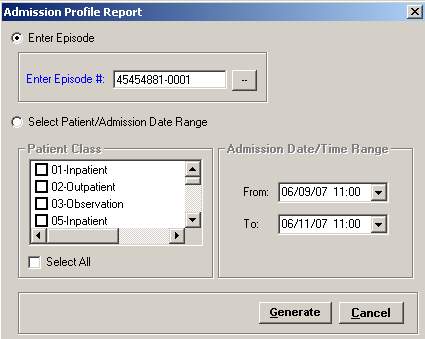
The Admission Profile report provides a one page profile for each episode. This report includes general, admission, processing, medical, guarantor, and patient demographic information. Generate the report for a specific episode or for a patient/admission date range.
To access the Admission Profile Report window, go to Patient Registration > Reports > Admission Profiles. [+]
Click the appropriate radio button and select your report criteria based on the type of report to print. Choose one of the following options:
To print the report for a specific episode:
Click Enter Episode
In the Enter Episode # field, click the Search button to open the Search Patients window and select the patient episode based on the search criteria.
To print the report for a patient/admission date range, which generates one page for every patient included in the report criteria.
Click Select Patient/Admission Date Range.
In the Patient Class area, check the boxes of the patient classes to include in the report, or check the Select All box.
In the Admission/Date/Time Range area, use the From and To drop-down calendars to select the admission date range.
Click Generate. The report is displayed in the Report Viewer, where you can save the report to the PC/network or print the report to an assigned printer. See To preview the report for more information on options within the viewer.