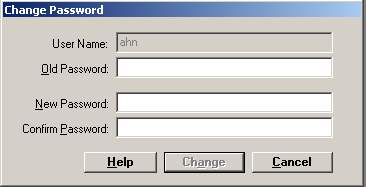
The Change Password window allows you to change your logon password. Routine changes to logon passwords can help increase patient and user security.
Go to Tools > Change Password or press <Crtl> + <P>. The Change Password window is displayed.
Enter your current password in the Old Password field.
Enter the new password in the New Password field.
Re-enter the new password in the Confirm Password field.
Click Change.
The password change will take effect the next time you log in to the application.